Travel planning can become confusing when your ideas are scattered across browser tabs, saved posts, notebooks, screenshots, and phone apps. One week you may want to visit Yellowstone. The next, you may discover a small coastal town in Maine or a scenic road through Utah. Mark Your Map gives all those ideas a clear visual home.
Instead of keeping your travel dreams as a long list, place them on a map. You can mark destinations you have already visited, places you want to see, and locations you are considering for your next vacation. This makes it easier to spot clusters of destinations and build realistic trips around them.
For USA travelers, this approach can also help with road-trip planning. When several destinations appear close together, you can compare driving distances, choose a logical route, and avoid unnecessary backtracking.
Quick Answer
Mark Your Map is a simple travel-planning idea: put your past trips, future destinations, favorite attractions, and travel goals on a map so you can see your journey in one place.
For travelers, a marked map can work as a travel bucket list, trip-planning tool, memory tracker, or road-trip organizer. Digital map tools can make this even easier by letting you add pins, notes, routes, photos, and categories.
The idea is especially useful for U.S. travelers because the country offers everything from national parks and scenic highways to major cities, beaches, historic towns, and outdoor destinations.
What Is Mark Your Map?
At its simplest, Mark Your Map means creating a visual record of your travel experiences and plans.
You might use:
- A paper travel map
- A digital map
- A travel-tracking app
- A custom Google map
- A travel journal
- A spreadsheet connected to locations
- A wall map with pins or stickers
The goal is not simply to collect destinations. A useful travel map helps you organize, prioritize, and understand your travel plans.
For example, you could create four categories:
| Category | What to Mark |
| Visited | Places you have already explored |
| Want to Visit | Destinations on your bucket list |
| Planning | Trips you are actively researching |
| Favorites | Places you would happily visit again |
Some travel platforms are designed specifically around this concept. Atlas Obscura, for example, currently presents a “Mark Your Map” feature for tracking travels across the United States.
25 Smart Ways to Mark Your Map in 2026
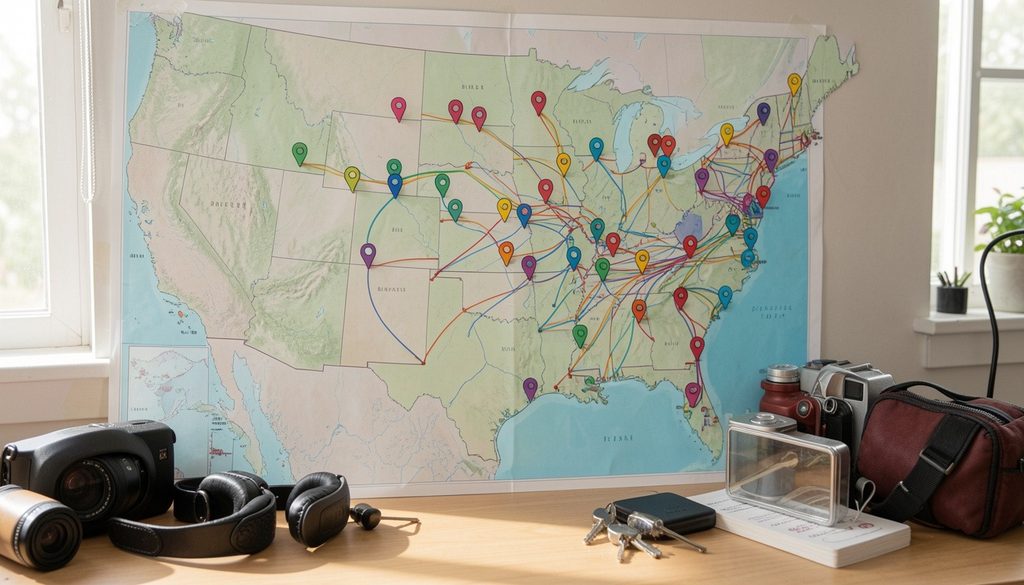
Mark Every State You Have Visited
Start with the basics.
Create a U.S. map and mark every state you have visited. This immediately gives you a visual picture of your travel history.
You may be surprised by how much—or how little—of the country you have explored.
Create a National Park Bucket List
The United States has an enormous variety of national parks and protected landscapes.
Mark destinations such as:
- Yellowstone
- Grand Canyon
- Yosemite
- Zion
- Grand Teton
- Acadia
- Great Smoky Mountains
- Olympic
- Rocky Mountain
- Joshua Tree
Rather than trying to visit them all at once, group them by region and plan future trips around nearby parks.
Build a U.S. Road-Trip Map
A road-trip map can turn a collection of destinations into a practical itinerary.
For example:
Las Vegas → Zion → Bryce Canyon → Capitol Reef → Arches → Canyonlands
A route like this allows you to visualize the order of your stops before deciding how many days you need.
Mark America’s Best Scenic Drives
Scenic highways can be destinations themselves.
Consider marking routes such as:
- Pacific Coast Highway
- Blue Ridge Parkway
- Going-to-the-Sun Road
- Overseas Highway
- Route 66
- Utah Scenic Byway routes
Always check current road conditions, closures, and seasonal access before traveling.
Mark Your Favorite Cities
Create a separate city layer for places you love.
You might mark:
- New York City
- Chicago
- Los Angeles
- San Francisco
- Seattle
- Boston
- Washington, D.C.
- New Orleans
- Miami
- Nashville
Then add notes explaining what made each city memorable.
Add Hidden Gems
Your map does not need to contain only famous attractions.
Add smaller destinations such as:
- Local museums
- Historic districts
- Small towns
- Scenic overlooks
- Independent bookstores
- Local markets
- Nature trails
- Unique cultural attractions
This can make your map more personal.
Mark Places You Want to Photograph
If photography is part of your travel plans, create a photography layer.
Add locations for:
- Sunrise
- Sunset
- City skylines
- Mountain viewpoints
- Beaches
- Historic buildings
- Wildlife viewing
- Seasonal landscapes
Remember that some locations have photography restrictions, so check official rules before visiting.
Create a Food Map
Travel and food naturally go together.
Mark restaurants, bakeries, markets, cafés, and regional specialties you want to try.
For example, your map might include:
New Orleans → gumbo
Chicago → deep-dish pizza
Maine → lobster
Texas → barbecue
This turns your travel map into a culinary bucket list.
Mark Seasonal Destinations
Some places are better suited to particular seasons.
Create categories such as:
- Spring destinations
- Summer beaches
- Fall foliage
- Winter activities
- Holiday markets
This helps you avoid choosing a destination that does not match your travel goals or expected conditions.
Track Your Travel Memories
A travel map can be more than a planning tool.
Add:
- Trip dates
- Photos
- Short notes
- Favorite experiences
- People you traveled with
- Places you would revisit
Over time, your map becomes a visual travel journal.
Mark Weekend Getaways
Not every trip needs a week-long vacation.
Use your map to identify destinations within a manageable driving distance from home.
Create a 48-hour getaway category for:
- Small towns
- State parks
- Nearby cities
- Lakes
- Beaches
- Historic sites
Create a Family Travel Map
Families can use different colors or symbols for different interests.
For example:
- ⭐ Family favorite
- 🏞️ Nature
- 🏛️ History
- 🐠 Aquarium
- 🎨 Museum
- 🏖️ Beach
This makes it easier to find destinations that suit everyone.
Mark Repeat Destinations
Not every trip has to involve somewhere new.
Mark places you would happily visit again.
A repeat-visit category can help you identify:
- Favorite cities
- Best beaches
- Favorite parks
- Special family destinations
- Great weekend escapes
Plan Trips by Region
Instead of randomly selecting destinations, divide your map into regions.
For the USA, useful planning regions include:
- Northeast
- Southeast
- Midwest
- Southwest
- Mountain West
- Pacific Northwest
- California
- Alaska
- Hawaii
This approach can reduce unnecessary travel between distant destinations.
Mark Your Dream International Destinations
Your map does not have to stop at U.S. borders.
Create a world bucket list with destinations such as:
- Japan
- Italy
- Greece
- Iceland
- Australia
- New Zealand
- Costa Rica
- Canada
Research entry requirements, travel advisories, seasonal conditions, and transportation before booking international travel.
Mark UNESCO and Historic Sites
History-focused travelers can create a map of important cultural and historic places.
Add:
- Historic landmarks
- Archaeological sites
- Museums
- Heritage districts
- Historic parks
This gives your travel plans an educational purpose.
Mark Outdoor Adventures
Create an outdoor layer for destinations involving:
- Hiking
- Kayaking
- Camping
- Cycling
- Scenic walks
- Wildlife viewing
Choose activities that match your experience level and always follow local safety rules.
Use Color Coding
Color coding can make a crowded map much easier to understand.
For example:
| Color/Category | Meaning |
| Blue | Visited |
| Green | Nature |
| Red | Future trip |
| Yellow | Food |
| Purple | City |
| Gray | Researching |
The exact colors do not matter. Consistency does.
Mark Destinations by Priority
Not every saved destination needs equal attention.
Try three levels:
High Priority: Book or research soon
Medium Priority: Strong future possibility
Low Priority: Interesting idea for later
This prevents your travel map from becoming an overwhelming collection of random pins.
Add Travel Costs
For serious trip planning, add estimated costs to your notes.
Track:
- Transportation
- Hotels
- Meals
- Attractions
- Parking
- Tours
- Travel insurance
- Emergency budget
A map becomes much more useful when it connects inspiration with realistic planning.
Mark Places by Trip Length
Add tags for:
- Day trip
- Weekend
- 3–5 days
- One week
- Two weeks
- Longer trip
This helps you quickly match destinations with the amount of vacation time available.
Build a Birthday or Holiday Trip Map
Special occasions can become travel opportunities.
Mark destinations that work well for:
- Birthday trips
- School breaks
- Family vacations
- Holiday weekends
- Summer vacations
Plan early for popular destinations.
Create a “Someday” Layer
Some travel dreams may not fit your current schedule or budget.
Instead of forgetting them, place them in a Someday category.
This keeps your ideas organized without creating pressure to book immediately.
Mark Your Best Travel Experiences
Your map should record experiences, not only places.
Add notes such as:
“Best sunset”
“Favorite museum”
“Would return”
“Great for families”
“Perfect weekend trip”
These personal observations can become valuable when planning future vacations.
Review Your Map Every Few Months
Travel planning changes.
A destination that seemed perfect six months ago may no longer fit your schedule. New places may also appear.
Review your map every few months and:
Remove outdated ideas.
Update destination notes.
Add new places.
Recheck travel priorities.
Turn realistic ideas into actual itineraries.
Best Ways to Use Mark Your Map for U.S. Travel
A travel map becomes especially powerful when you connect it to a specific planning goal.
| Travel Goal | Best Map Method |
| Road trip | Pins + route |
| National parks | Regional groups |
| Weekend getaway | Distance-based pins |
| Food trip | Restaurant layer |
| Family vacation | Interest categories |
| Photography | Viewpoint layer |
| History trip | Historic-site layer |
| Bucket list | Priority categories |
| Travel memories | Photos + notes |
The key is to avoid putting everything into one giant list. Mark Your Map works best when your information is organized.
Digital vs. Paper Travel Maps
Both options have advantages.
| Feature | Digital Map | Paper Map |
| Easy to update | Excellent | Limited |
| Add notes | Yes | Yes |
| Add photos | Often | No |
| Route planning | Excellent | Manual |
| Offline use | Depends on app | Excellent |
| Display at home | Moderate | Excellent |
| Sharing | Easy | More difficult |
| Personal feel | Good | Excellent |
A digital map is usually better for active trip planning, while a paper map can be a fun visual travel keepsake.
Pros and Cons of Marking Your Travel Map
| Pros | Cons |
| Makes travel plans visual | Too many pins can become confusing |
| Helps organize destinations | Requires regular updates |
| Useful for road trips | Digital tools may have different features |
| Tracks travel memories | Some information can become outdated |
| Makes bucket lists motivating | Planning can become overly detailed |
| Helps identify regional trips | A map does not replace official travel information |
How to Build a Useful Travel Map

Choose Your Map
Decide whether you want a paper map, digital map, or both.
Add Past Trips
Start by marking places you already know well.
Add Future Destinations
Add your travel bucket list.
Organize Your Pins
Use categories, colors, or symbols.
Add Notes
Record why each destination interests you.
Group Nearby Places
Look for destinations that can fit into the same vacation.
Check Practical Details
Review transportation, lodging, opening hours, weather, park rules, and current travel information.
Build Your Itinerary
Only after you understand the geography should you create your day-by-day plan.
Mark Your Map Checklist
- Choose a paper or digital map
- Mark places you have already visited
- Add your dream destinations
- Create regional categories
- Mark national parks
- Add favorite cities
- Add food destinations
- Save scenic routes
- Add hidden gems
- Include weekend-trip ideas
- Add personal notes
- Set destination priorities
- Estimate travel costs
- Check seasonal conditions
- Review your map regularly
Common Mistakes When Using a Travel Map
Adding Too Many Places
A map filled with hundreds of pins may look exciting but become difficult to use.
Better approach: Start with your top priorities.
Ignoring Geography
Two destinations may look relatively close on a map but still require significant driving time.
Always check actual travel distances and road conditions.
Planning Too Much in One Trip
Trying to visit every attraction can turn a relaxing vacation into a race.
Leave space for rest and unexpected discoveries.
Forgetting Seasonal Conditions
Mountain roads, national parks, beaches, and outdoor attractions can change dramatically with the seasons.
Check official information before traveling.
Treating Saved Pins as Confirmed Plans
A saved location is an idea—not a reservation.
Verify current opening hours, admission rules, transportation, and availability before your trip.
Never Updating Your Map
Old information can make future planning harder.
Review your map regularly.
Forgetting Privacy
If you share a travel map publicly, think carefully about what information you include. Avoid posting sensitive personal details such as your home address or real-time location.
Expert Tips for Better Travel Mapping
Think in Clusters
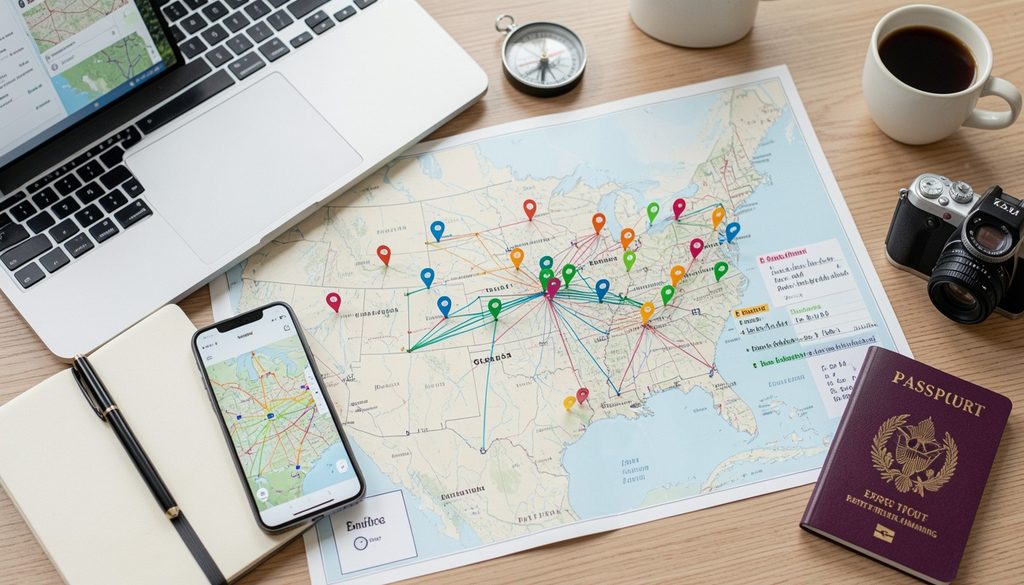
When several destinations are close together, consider turning them into one trip.
This is one of the simplest ways to make road trips more efficient.
Separate Inspiration From Action
Keep two categories:
Ideas: places you might visit.
Plans: places you are actively preparing to visit.
This prevents your map from becoming cluttered.
Add a “Why Visit?” Note
Instead of simply saving a location, write one sentence explaining why it interests you.
For example:
“Visit for fall colors and scenic hiking.”
That small note can make future planning much faster.
Use Your Map to Find Travel Themes
Look at your pins and ask:
- Do I prefer cities?
- Do I enjoy national parks?
- Am I collecting food experiences?
- Do I prefer road trips?
- Do I want more coastal destinations?
Your map can reveal your travel style.
Keep Flexibility in Your Itinerary
A strong itinerary should guide your trip without controlling every minute.
Leave room for weather changes, unexpected discoveries, and rest.
Is Mark Your Map Good for Trip Planning?

Yes. A marked travel map can be an excellent starting point for trip planning because it puts destinations into geographic context.
However, it should be treated as a planning aid rather than the only source of travel information.
For current details, travelers should verify information through official destination websites, national park agencies, transportation providers, and other authoritative sources.
Mark Your Map for Road Trips
Road trips are one of the best uses for visual travel planning.
Start by identifying your:
Starting point → Major destinations → Overnight stops → Optional stops → Final destination
Then consider:
- Driving time
- Fuel stops
- Rest breaks
- Weather
- Road closures
- Parking
- Lodging
- Attraction hours
Do not assume that a route shown on a map will always be available. Conditions can change.
Mark Your Map for National Park Trips
National parks deserve extra planning because of their size, seasonal conditions, and visitor rules.
When marking a national park, consider adding:
- Main entrance
- Visitor center
- Major viewpoints
- Hiking areas
- Campgrounds
- Lodging
- Nearby towns
- Fuel stations
- Alternative routes
For the latest rules and conditions, check official National Park Service information before departure.
Mark Your Map for Weekend Getaways

A travel map can help you discover short trips hiding close to home.
Start with a practical driving radius, then mark:
- Small towns
- Parks
- Museums
- Historic sites
- Scenic areas
- Local food destinations
You may find that a memorable weekend does not require a long flight.
Frequently Asked Questions
What does Mark Your Map mean in travel?
Mark Your Map means recording places you have visited or want to visit on a physical or digital map. It can help organize travel memories, destinations, and future trip ideas.
How do I create a travel map?
Choose a physical or digital map, add visited destinations, create a wish list, organize locations into categories, and add notes or routes.
Why should I mark places on a travel map?
A visual map makes it easier to understand where destinations are located, identify regional trips, organize road trips, and track your travel history.
Can I use Mark Your Map for road trips?
Yes. Marking destinations on a map can help you build logical routes, group nearby attractions, and identify potential overnight stops.
Should I use a paper or digital travel map?
A digital map is generally more flexible for active planning, while a paper map can be a fun keepsake and visual display.
Can I mark places I have not visited yet?
Absolutely. Create separate categories for visited places, future destinations, and locations you are still researching.
How many destinations should I add to a travel map?
There is no perfect number. Start with your highest-priority destinations and organize additional ideas into categories so the map remains useful.
Is Mark Your Map useful for family vacations?
Yes. Families can use categories for attractions, parks, museums, food, beaches, and other interests to create trips that work for different travelers.
Can a travel map replace a travel itinerary?
No. A map provides geographic context, but a complete itinerary should also consider transportation, lodging, opening hours, reservations, weather, and current local conditions.
How often should I update my travel map?
Review it every few months or whenever you begin planning a new trip. Remove outdated ideas and update important destination information.
Conclusion
Mark Your Map is more than a way to save destinations. It is a simple way to turn scattered travel ideas into a clear visual plan.
Start with places you have already visited. Then add destinations you want to explore, group them by region, and identify the trips that make the most sense for your available time and budget. Whether your goal is to visit national parks, explore major U.S. cities, take scenic road trips, or discover small-town gems, a well-organized map can make the process easier.
The best travel map is one you actually use. Pick a destination, mark your map, research the details, and turn your next travel idea into a real adventure.
Read More:Find Your Next Adventure: 25 Epic Travel Ideas, Smart Planning Tips & Hidden Gems for 2026